
Car Town guide: garage, cars, races and levels
Everything you need to get started: the game screen, how to buy and paint cars, the jobs in your garage, races with your neighbors and how levelling works.
Getting started
Create your account with a username and a password and sign in. The first time you enter, a few welcome windows and the daily bonus pop up: close them with the X or OK. Then the tutorial starts, led by Rusty, a neighbor who is already on your list.
You start with 5,000 coins, 10 credits and a 1973 Pinto parked next to your workbay, on a 10 × 10 plot. In the tutorial you start and collect your first job (500 coins and 30 experience), paint your car, run a practice race against Axel, pick clothes for your avatar and open your missions.
Coins and credits are two different currencies. Almost everything is paid with coins; credits are scarce: you get 1 for every level you gain and with the daily bonus, and you can get more with a donation (see “Help and donations”).
The game works in current browsers (we mostly tested it in Chrome) and is played with mouse clicks.
The screen and your garage
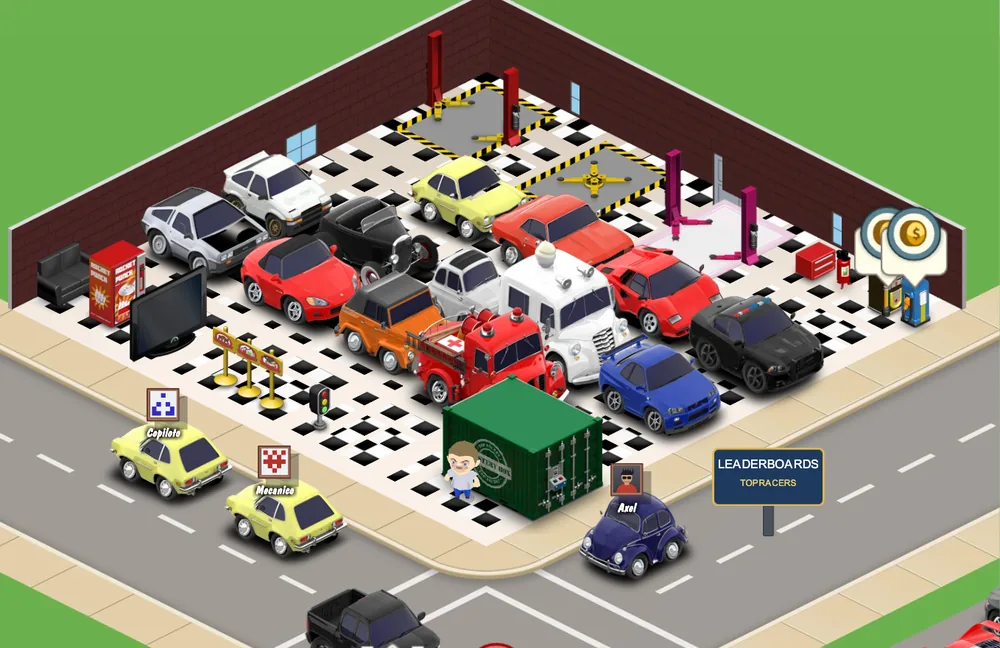
- Top left: the level gauge, with your experience on the counter below it, and your coins and credits. Under them, a bar with a little house shows your garage value level.
- Top right: the fuel gauge. It refills by itself, one unit about every 9 minutes, and its capacity grows with your level. The adventure and some other races use it; friendly races do not.
- Corner buttons: picture, sound, music, quality, full screen and zoom.
- Bottom bar: My Garage, Edit Garage, Buy Cars and Glove Box (stats, mail, car show, gifting, sponsor and passport).
- Neighbors list: under the bar, with your garage, your neighbors' garages and their value. Press “Add Friends” to look for other players.
- Missions, GPS and races: the goal icons on the left are your missions; the buttons in the bottom corners open the GPS and friendly races.
In Edit Garage you buy and place objects: work bays, chairs and tables, floors, walls, doors, windows, signs, trophies and decoration. You drag the object into place and press Done when you finish. Every object costs coins or credits and some ask for a certain level.
You also expand your plot from Edit Garage. You start at 10 × 10 and reach 40 × 40; the next expansions add floors, up to five. Paying with credits you only have to expand in order, with no minimum level; with coins you do need the level (or garage value) in the table.
| Plot | Requirement with coins | Coins | Credits |
|---|---|---|---|
| 10 × 10 | Free | - | - |
| 15 × 15 | Level 4 | 7,500 | 6 |
| 20 × 20 | Level 10 | 15,000 | 12 |
| 25 × 25 | Level 17 | 25,000 | 21 |
| 30 × 30 | Level 25 | 40,000 | 33 |
| 35 × 35 | Level 34 | 75,000 | 62 |
| 40 × 40 | Level 42 | 100,000 | 83 |
| Floor 2 | Level 50 | 300,000 | 120 |
| Floor 3 | Level 62 | 450,000 | 135 |
| Floor 4 | Garage value: Intimidating Garage | 1,000,000 | 200 |
| Floor 5 | Garage value: Exalted Garage | 1,000,000 | 200 |
Buying cars and mystery boxes
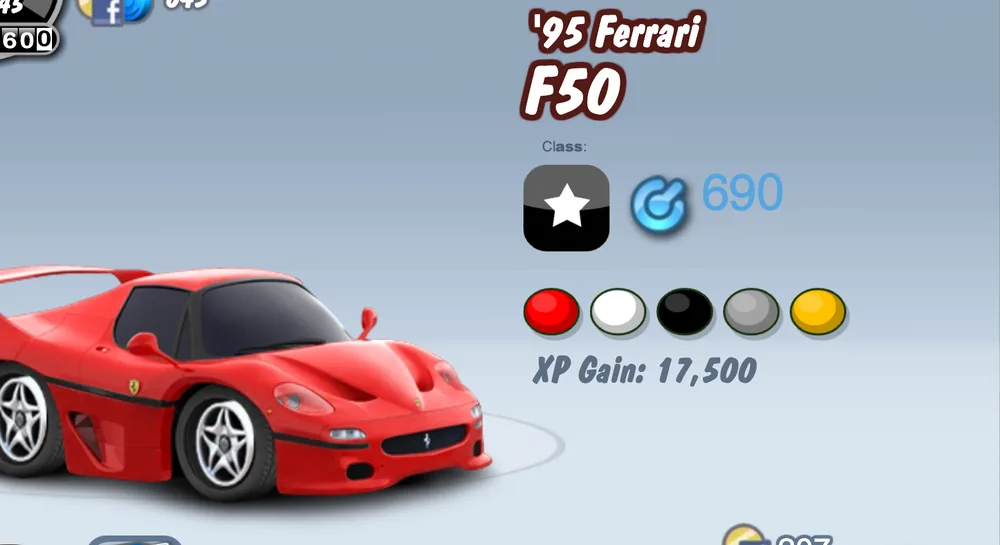
In “Buy Cars” you choose among more than 350 cars for sale, from a catalog of more than 700 split into five classes (D, C, B, A and the star class). When you pick one you see it in a showroom with its year, class, performance score, colors and the experience you get for buying it (“XP Gain”). You can sort by newest, name, manufacturer, price or level, and search by name.
- Price: every car for sale can be paid with credits and most of them with coins too. The cheapest cost 4,000 coins, so with your starting 5,000 you can already buy one.
- Level: every car asks for a minimum level; more than 150 can be bought from level 1. The most exclusive ones also ask for a garage value level.
- Waiting list: a few exclusive cars have a waiting list if you pay with coins (a deposit and several days). With credits there is no wait.
- Selling: when you sell a car you get 10% of what it is worth (its price plus its upgrades). You cannot sell a car that is doing a job or an adventure.
Mystery boxes are another way to get cars. They are bought with credits only and placed in your garage. When you open one you spin a slot machine with Start and Stop: you keep the car that comes up (Claim Car) or spin again for a few credits to try for something better. The server draws the car. There are boxes of several categories, from the regular one to the diamond one.
Customizing and painting
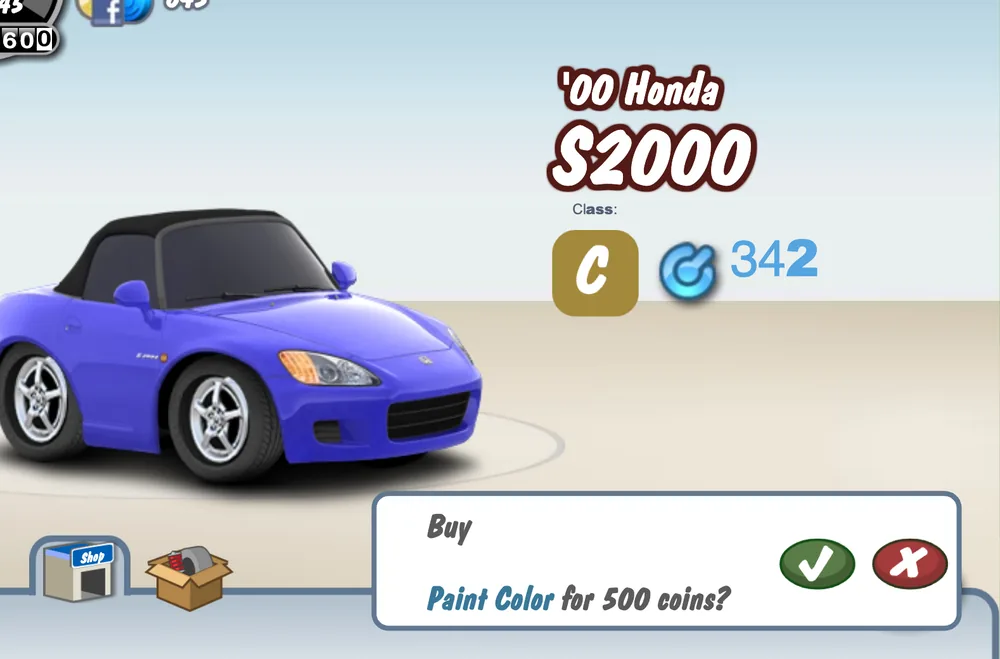
Tap a car and press “Customize”. The editor has tabs for Paint & Graphics, Wheels, Tires, Body, Performance, Suspension, Window Tint and Lights. When you pick a part the car changes instantly; if you like it, you confirm the purchase with the green check.
Paint accepts any color: you pick on the palette, adjust the brightness or type the R, G and B values or the hex code. Painting costs 500 coins (or 5 credits) and gives experience.
Wheels, tires and suspension change the look. Performance parts raise the car's score (the first engine upgrade adds 20 points) and count in races; each upgrade requires the previous one to be installed. Some cars warn of manufacturer restrictions, such as not accepting window tint.
There are more than 2,000 parts for sale; some ask for a certain level.
Jobs and workers
Your garage earns money with jobs. At your workbay (a car lift) you pick a job and start it; it costs a few coins, and when it ends you come back and click to collect coins and experience. Some examples:
- Car Wash: 5 minutes, costs 10 coins and pays 40 coins and 10 experience.
- Oil Change: 30 minutes, costs 15 coins and pays 125 coins and 20 experience.
- Window Tint: 24 hours, costs 55 coins and pays 2,000 coins and 160 experience.
Collect on time: a workbay job left for more than twice its duration spoils and pays nothing. If you are in a hurry, you can finish a job instantly for 3 credits.
Repeating the same job masters it: with 200 car washes, for example, you reach mastery 2, get a 5,000-coin bonus and each wash gives a little more experience.
Workbay jobs are done by a worker: you, or a neighbor you hire in “Hiring”. How many workers you can have (yourself included) depends on your level: 2 at level 1, 3 at 3, 4 at 6, 5 at 11, 6 at 16, 7 at 21 and 8 from 26.
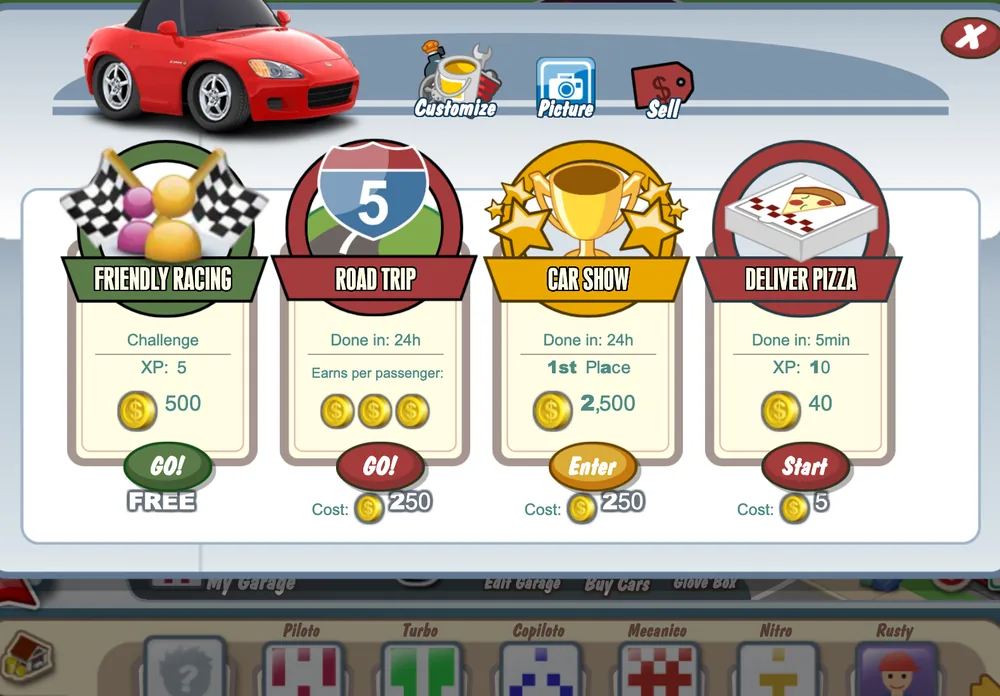
With your cars you also do car tasks from their panel: deliver pizza (5 minutes, costs 5 coins and pays 40 coins and 10 experience), road trip (24 hours, costs 250 coins and you earn for every neighbor who joins as a passenger) and car show (24 hours, with a prize depending on your place).
Races
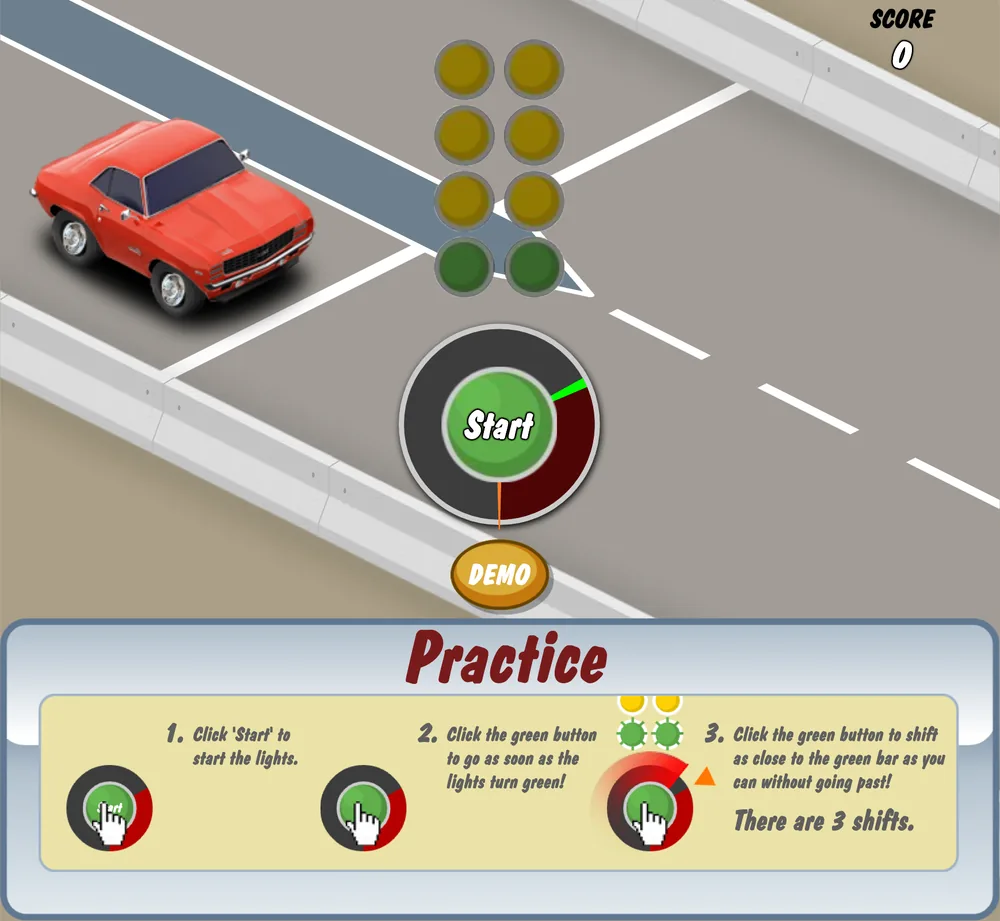
Races are a reflex minigame. You press “Start” and the yellow lights come on; when they turn green you press the green button to launch. Jumping the light is a foul, and the sooner you press after green, the more points you get. Then come three gear shifts: press as close as you can to the green line on the rev meter without going past it, because if you do you lose points.
The highest score wins, as long as it is positive. The points ceiling depends on your car's performance, the blue number next to its class: that is why Performance upgrades are worth installing. The server checks the scores and does not accept impossible results.
- Friendly race: you challenge a neighbor from the GPS, from the races button or from your car's panel. It is free, uses no fuel and with “Practice” you train without a rival first. Your challenge can carry a message and your neighbor accepts or declines it.
- Rewards: winning a friendly race gives 500 coins and 5 experience, and running it gives 1 experience. You can race up to 10 times a day against the same neighbor, and there is a daily cap on rewarded wins.
- Axel: a racer from the game itself who challenges you right from the start, so you have someone to race even before you have friends.
- High-stakes track (“High Stakes Track”): it is closed for maintenance.
Missions and adventure
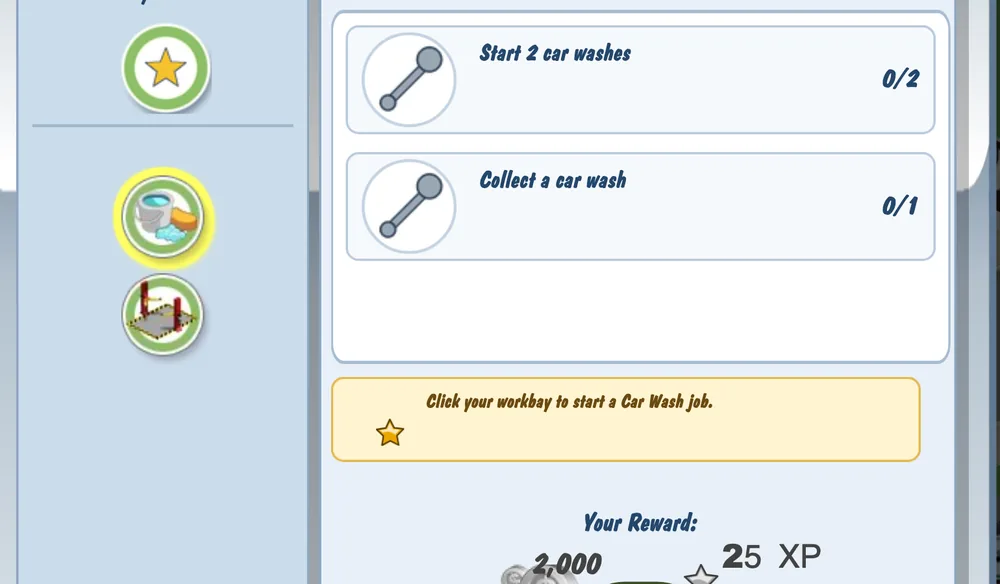
The goal icons on the left open your missions: chains of steps such as starting and collecting jobs, expanding your plot, decorating your garage, photographing it or winning races. Each mission pays coins and experience; for example, the car wash mission pays 2,000 coins and 25 experience. There are more than 40 missions and, besides, a daily mission that changes every day.
The Route 66 Adventure opens from the Route 66 ramp next to the crossing. You pick a car and advance along a map of more than 200 nodes with boss races, obstacles, shops and chests. It uses fuel and lasts 14 days from the moment you start it.
Every day you sign in you get the daily bonus, and consecutive days add more.
Neighbors and visits
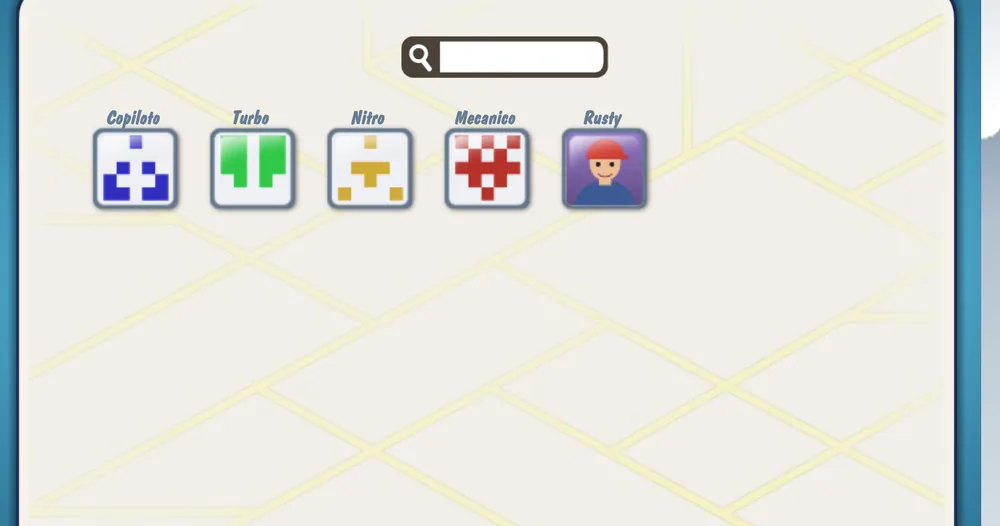
Your neighbors are other players. Press “Add Friends” to open the neighbors panel: you can search by player name (3 letters or more), send and accept requests and invite with a link. Changes in the panel show up when you reload the game.
Click a neighbor in the bottom bar to visit their garage and see their cars. Rusty and Axel, two neighbors from the game itself, are on your list from the start.
- Messages and gifts: you can write to your neighbors and send them gifts from the Glove Box.
- Hiring: you can hire a neighbor as a worker in your garage.
- Road trip: your neighbors can join your trip as passengers and everyone earns.
- Pictures: the “Picture” button takes a picture of your garage.
Levels and garage value
You level up with the experience (XP) you earn by buying, painting, working, racing and completing missions. When you level up you get bonus coins (from 500 at level 2 to 37,500 at the high levels) and 1 credit, your fuel tank fills up and you can have more workers and buy more things.
The game's catalog defines 500 levels. The level titles (in English) go up to level 60, “World Class Mechanic”. Here is the table for some levels:
| Level | XP needed | Title | Bonus coins | Team (you included) |
|---|---|---|---|---|
| 1 | 0 | Garage Newbie | 0 | 2 |
| 2 | 43 | Bouncing Beginner | 500 | 2 |
| 3 | 90 | Renowned Rookie | 750 | 3 |
| 5 | 500 | Apt Apprentice | 1,250 | 3 |
| 8 | 1,820 | Gear Head | 2,000 | 4 |
| 10 | 3,100 | Piston Popper | 2,500 | 4 |
| 15 | 8,290 | Fantastic Fuel Pumper | 3,750 | 5 |
| 20 | 16,900 | Diesel Dynamo | 5,000 | 6 |
| 25 | 32,750 | Skilled Specialist | 6,250 | 7 |
| 30 | 63,250 | Hero of Horsepower | 7,500 | 8 |
| 40 | 146,222 | Julius Jumpstarter | 10,000 | 8 |
| 50 | 283,788 | Lord of the Piston Ring | 12,500 | 8 |
| 60 | 480,000 | World Class Mechanic | 15,000 | 8 |
| 100 | 1,519,000 | - | 25,000 | 8 |
| 150 | 2,869,000 | - | 37,500 | 8 |
| 250 | 6,074,000 | - | 37,500 | 8 |
| 400 | 12,756,500 | - | 37,500 | 8 |
| 500 | 18,461,500 | - | 37,500 | 8 |
Besides your level, your garage has a value: the sum of what your cars (with their upgrades) and your objects are worth. The value goes through 10 tiers. When you reach each one you get experience and coins, and your garage's title changes. Some cars and the highest plot floors ask for a minimum tier.
| Tier | Garage title | Garage value | Bonus XP | Bonus coins |
|---|---|---|---|---|
| 1 | Flimsy Garage | 0 | 0 | 0 |
| 2 | Mediocre Garage | 75,000 | 300 | 2,000 |
| 3 | Modest Garage | 200,000 | 400 | 4,000 |
| 4 | Noteworthy Garage | 500,000 | 500 | 5,000 |
| 5 | Cool Garage | 800,000 | 650 | 7,500 |
| 6 | Impressive Garage | 2,000,000 | 800 | 10,000 |
| 7 | Formidable Garage | 6,000,000 | 900 | 25,000 |
| 8 | Awesome Garage | 12,000,000 | 1,000 | 50,000 |
| 9 | Intimidating Garage | 20,000,000 | 2,500 | 100,000 |
| 10 | Exalted Garage | 60,000,000 | 7,500 | 200,000 |
Help and donations
If something does not work or you need help, open a ticket in Support: the team answers you in the same ticket and you can attach a screenshot. We will never ask for your password.
If you forgot your password, request a code at Recover password. If your account was suspended, you can appeal the sanction.
Donations are optional and are made by opening a donation ticket from Support, with a screenshot of your payment. The team delivers your credits within 24 hours.
The figures in this guide come from the game's own data (late 2013 catalog) and from the server. Level titles are in English, as in the game. The screenshots are real and from this edition.
Guides and more information
- Play Car Town Online Free: No Flash, in Your Browser Play Car Town online in your browser, no Flash and nothing to install: buy and paint cars, run your garage and race your neighbors. Free beta edition.
- What is Car Town Car Town is a car-and-garage game by Cie Games that began on Facebook. Learn what it is, what you can do in this free browser edition and what is still missing.
- How to play Car Town Learn how to play Car Town: create your account, close the welcome windows, follow Rusty's tutorial, paint your first car and run your first friendly race.
- Car Town cars and customization How cars work in Car Town: shop sorting, classes and performance scores, the Customize tabs, free RGB and hex paint, garage decoration and garage value.
- Car Town racing Car Town racing explained: the yellow-to-green start, three gear changes, the green line, scoring and what decides the winner. Plus what is still closed.
- Car Town neighbors and garage How neighbors work in Car Town: meet Rusty and Axel, add players in the Neighbors panel, see the Glove Box and learn what is still untested.
- Car Town FAQ Quick answers about Car Town: Facebook, cost, languages, phones, saved progress, coins and credits, the tutorial, cheats and what is still missing in the beta.
- Car Town no Flash Play Car Town without Flash: open the page, log in with your account and play. What your browser needs, what to do if the garage is slow to appear, and fixes.
- Car Town private server Is there a Car Town private server? Yes, an independent one with its own accounts, free and in beta. See what it stores, its rules, support and donations.
- Car Town on mobile Can you play Car Town on Android or iPhone? It opens in a phone browser, but it is built for computers and untested on real phones. See what we checked.
- Car Town download Do you need to download Car Town? No: it opens in your browser with no APK or installer. See where the real site is and how to spot fake downloads and hacks.
- Games like Car Town Looking for games like Car Town? Compare garage, customization and neighbor games, from FB Games titles to StreetRally and CSR Racing, and see where it fits.
- FB Games: more classic Facebook games FB Games home page with every classic Facebook game you can play in the browser.
- Facebook games A list of old Facebook games you can play again for free in your browser, no Flash needed.